
I’ve been digging through the QGIS class this week as I wrestle with a way to move the class online. While doing that I started filing in the gaps of things that I wanted to add but didn’t because of time. Well – with the class moving online I can add more things.
Usually what we do when setting up a QGIS project is:
- Open QGIS
- Toss a bunch of data in it
- Save it somewhere
- Come back to it later
So for those of you just starting out or maybe for those of you who have been working with this for a while – a helpful hint.
Open QGIS. Slow down and go to Project -> Properties -> General. We are only going to look at 3 things in this – so don’t worry. This won’t be anything complicated.
You should see this:
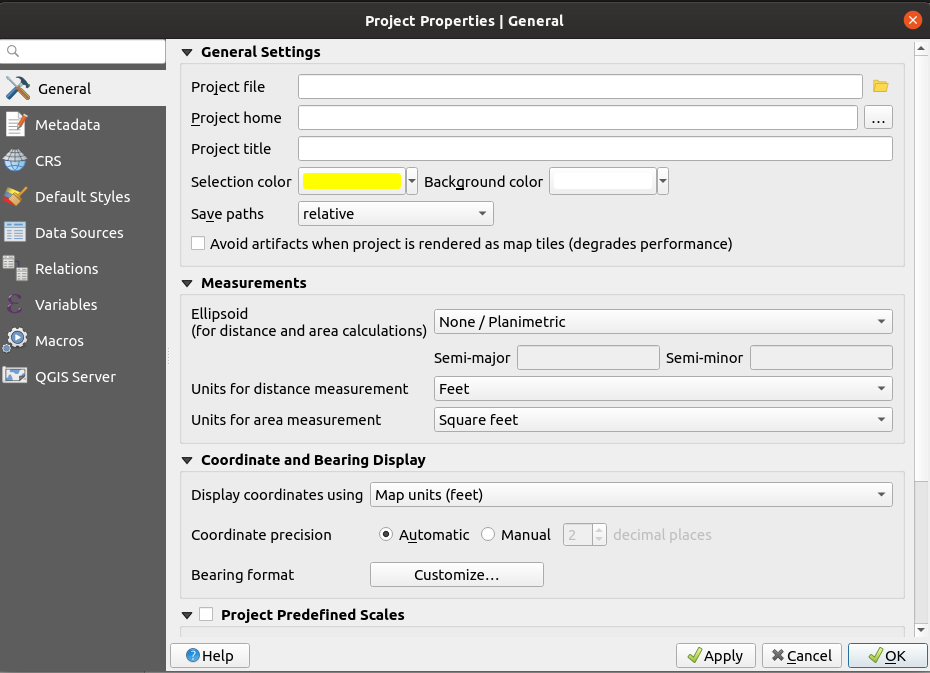
We’re really going to worry about two things:

When setting up a new project I always do one thing to kick off the event. I build a directory structure to start storing scripts and maps and anything of use. I set the Project Home (above) to be that directory. I also set a working project title like “My Map” or something.

I also go ahead and set the Measurements. I know this project will be in a local planimetric projection so I’ll set that to None/Planimetric and since my world revolves around Feet/Square feet I’ll go ahead and set that up.
The next thing I do is set up the Coordinate system – so click on the CRS Tab on the left and set it to whatever you need it to be – in my case EPSG:2274
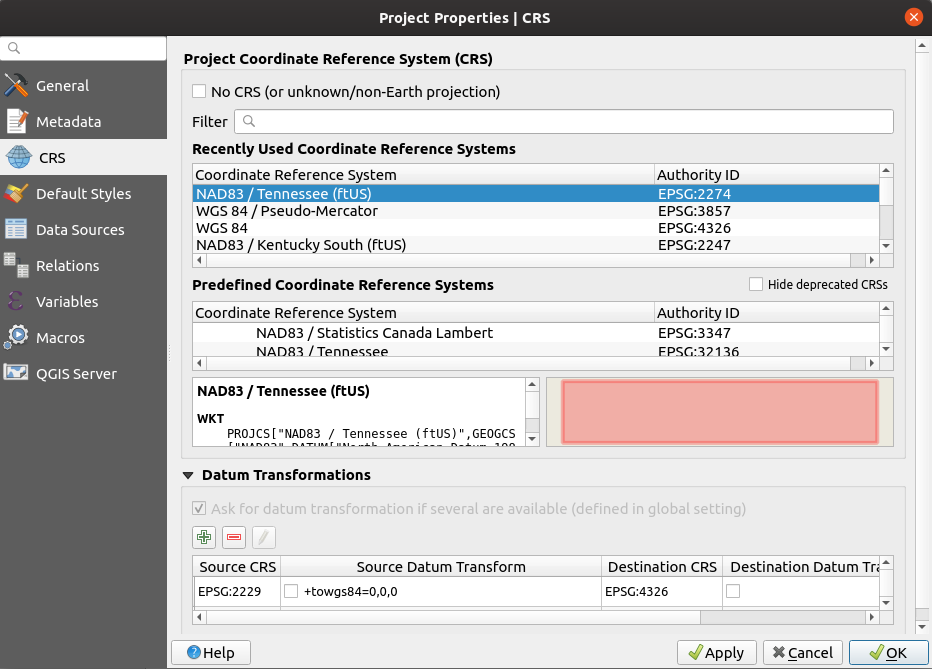
I click Apply or OK and the last thing I do is Save my Project (back to the Save Project portion under the Project menu of QGIS) . That last save leaves you with a complete Project Properties.

So who cares right?
Well if you happen to use the browser panel you’ll notice something has changed:

Project Home now appears – which means I have quick access to everything I need from shapefiles to geopackages to imagery to whatever. Right in the browser which really gives you a ‘Workspace” feel for your project.
How long does it take to set up? Not that long but the benefits of getting that one small part done outweigh the time you’ll spend setting it up. I’ve been bitten many times by having the wrong units set up or something else that could have been taken care of by spending 1 minute setting this up.




