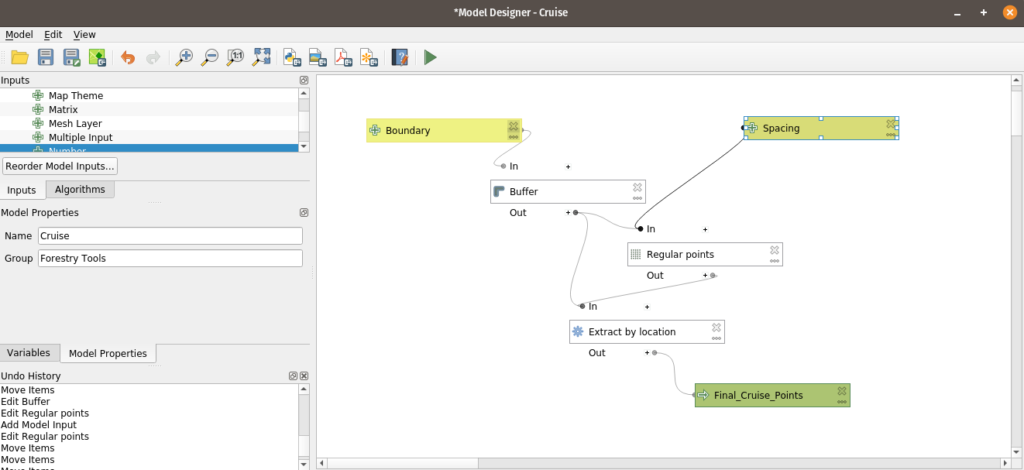
Not being content with my last model….
.
I dove back in because I really need to name the points something because the forestry guys almost always use GARMIN GPS equipment. After sitting on this for a week the question became “How do I name everything” and get it to the point where the model handles 90% of it:
- Name the point and since I’m exporting GPX the field has to be “name”
- Perform some sort of field calculation to get a “pt1” for a name
- Label it in QGIS because I really want to be lazy.
I found the rest of the tools to let me do this:
- Add autoincrement field which gave me a 1 through X number
- Field calculator let me name this ‘pt’ || “AUTO”
- Set layer style
My Model now looks like:
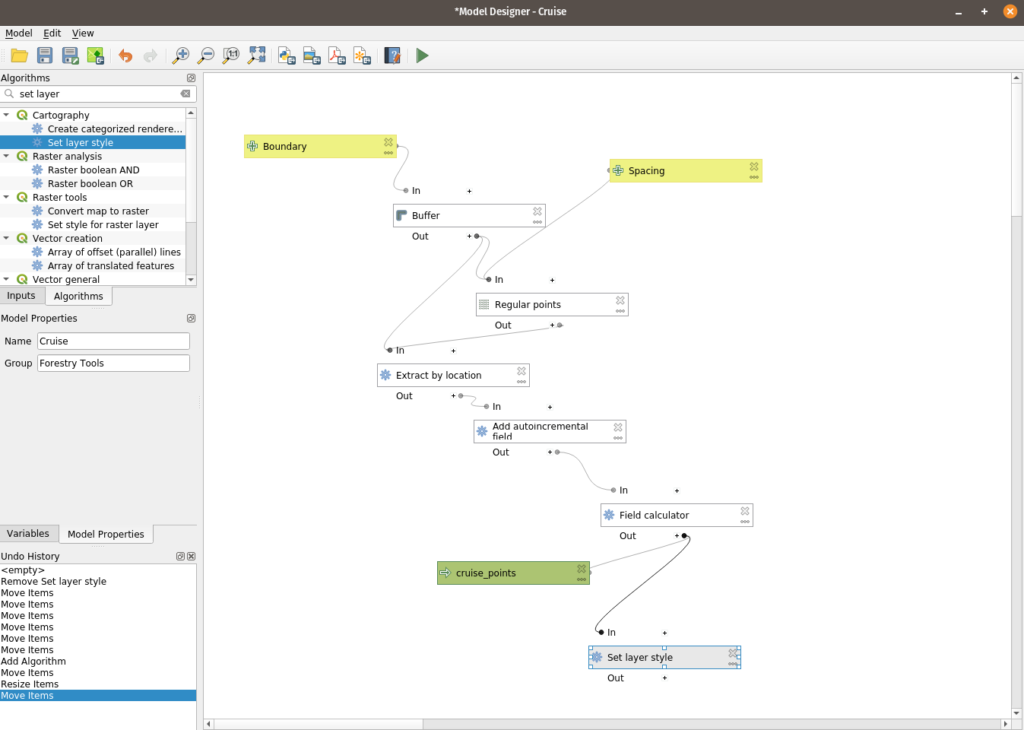
Not to go over the additions in excruciating detail but three tools later and I have a functional point layer. My next question is can I slap this in github and share it – which I’m going to do shortly. Will this break the layer style? I’m not sure – but I can save this with a ton of notes for more development.
I’ve really ignored the functionality of the Processing Toolbox. This small dive into it has highlighted some sore spots I’ve had with the TN 911 address project. I get frustrated because I’m not the best in Python. The big problem I’ve had has been working through a few problems that are going to require some sort of interaction between the 911 address person and the database and I can’t do that part in SQL (I could – but it would create too much black magic). I can fix it with a model though.
Then all my python fears get a little bit better because all of this can be moved to python and I can pick at it.

My 10 to 15 minutes of point building are now down to 10 seconds.
Now to get them using something other than a Garmin GPS Unit – like their phones.