
On the heels of the “document your data” post I’m about to turn my writing towards QGIS 3.2.
One of the things you should worry about with your data is documenting. Why did you do what you did with attributes and fields? Amazingly enough – most of my clients don’t know or just go “OK” and add whatever they think they need. They are busy. Busy people sometimes don’t slow down enough. In the case of your data – slow is better.
Which brings us to – Metadata. I don’t know the current state of metadata in the world. I searched the internet. My eyes went crossed as I read things and I restarted this post.
If you look at 2.18 (Current Long Term Release), metadata in QGIS looks like this:
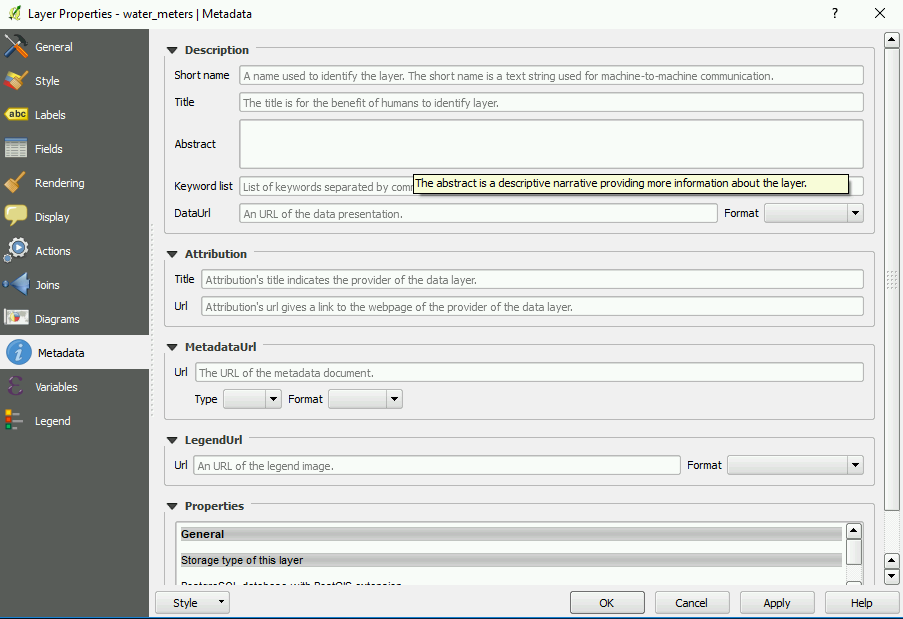
Not bad considering the this is a newer development in the life of this Open Source Desktop.
If you take a look at QGIS 3.2:
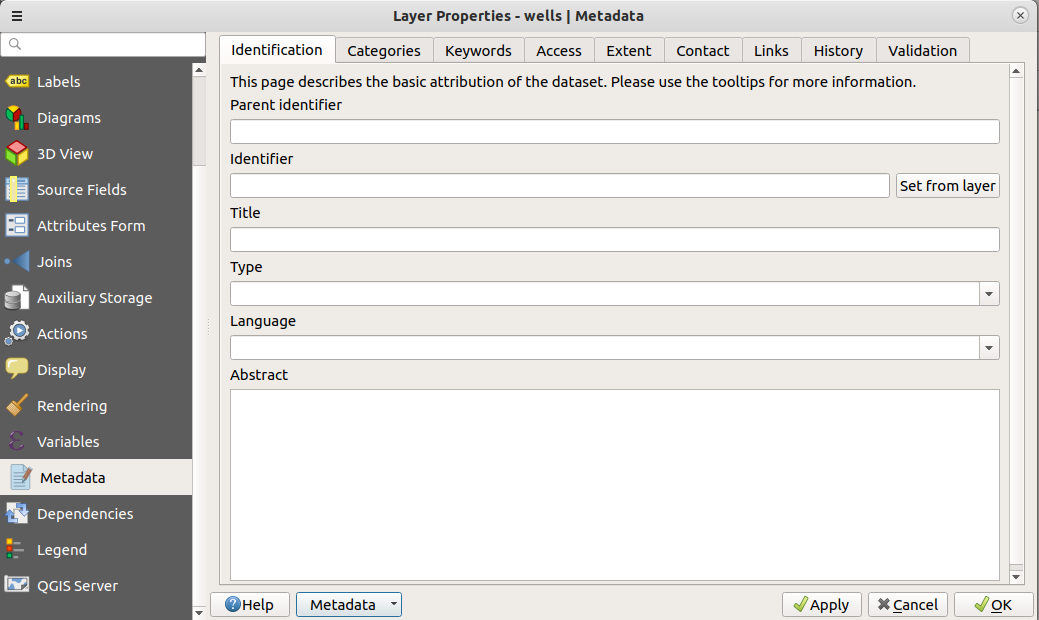
You can write metadata. You can save it. You can reload it for later editing. This was a funded feature for QGIS by Arpa Piemonte ( The Italian EPA – which I would assume is comparable to the US EPA) and implemented by North Road. How excellent is that? Actually – very excellent. Imagine if my fellow users here in the US pitched in for development? Good things will happen.
So my next go around I’ll most likely be using this feature for documentation. For fun I might document parts of the current project and see how it blends with the FGDC Metadata standards.
Any documentation is better than none – so write!




