
File based geodatabases….love them or hate them. I’ve done both. Back in 2009 I even did a two hour workshop on Switching to File Based Geodatabases and why this was the best thing ever.
A question came up on the QGIS users list and it led to a slight detour as the days usually go. What do you do if you get a file based geodatabase and you are using QGIS? At about 9.x everyone was usually screwed. Then ESRI relased their API and the good people at GDAL fixed it to where life was much easier. You could break out ogr and get to your data out.
I’ve been in the middle of writing the QGIS Part Deaux class. It’s going to be heavy editing/working with your data. With the emphasis on your data. It’s going to be the nice thing by the end of the three day class (Parts I, II, and III) is that you aren’t going to care what software you use – you are only going to care ultimately about your data and the tools you can use on it. The tool we will discuss will be QGIS in the class (obviously).
So what happens when you are sitting there and you get a file based geodatabase from someone. I’ve used linux and windows to pull data out into shapefiles but this example ran from the windows side of life and the OSGEO4W installer as described here. Being a complete slacker I didn’t try the stand alone installer but I did get anecdotal evidence it works also. Well – because of GDAL you can open a file based geodatabase as a directory once you get the gdal-filegdb library installed. You can open your data. I even edited the data (but that scared the crap out of me).

In all of that I did something completely out of the ordinary – or at least I thought it was. It actually is quite brilliant that QGIS can do this. I’ve talked about spatialite and with the OGC’s announcement of the geopackage I have a bit more hope with it as an alternative software. So after opening the file based geodatabase in QGIS I cracked open spatialite and made a new database (there are several ways to do it) and used the database manager to pull data out of the File based geodatabase and into spatialite.
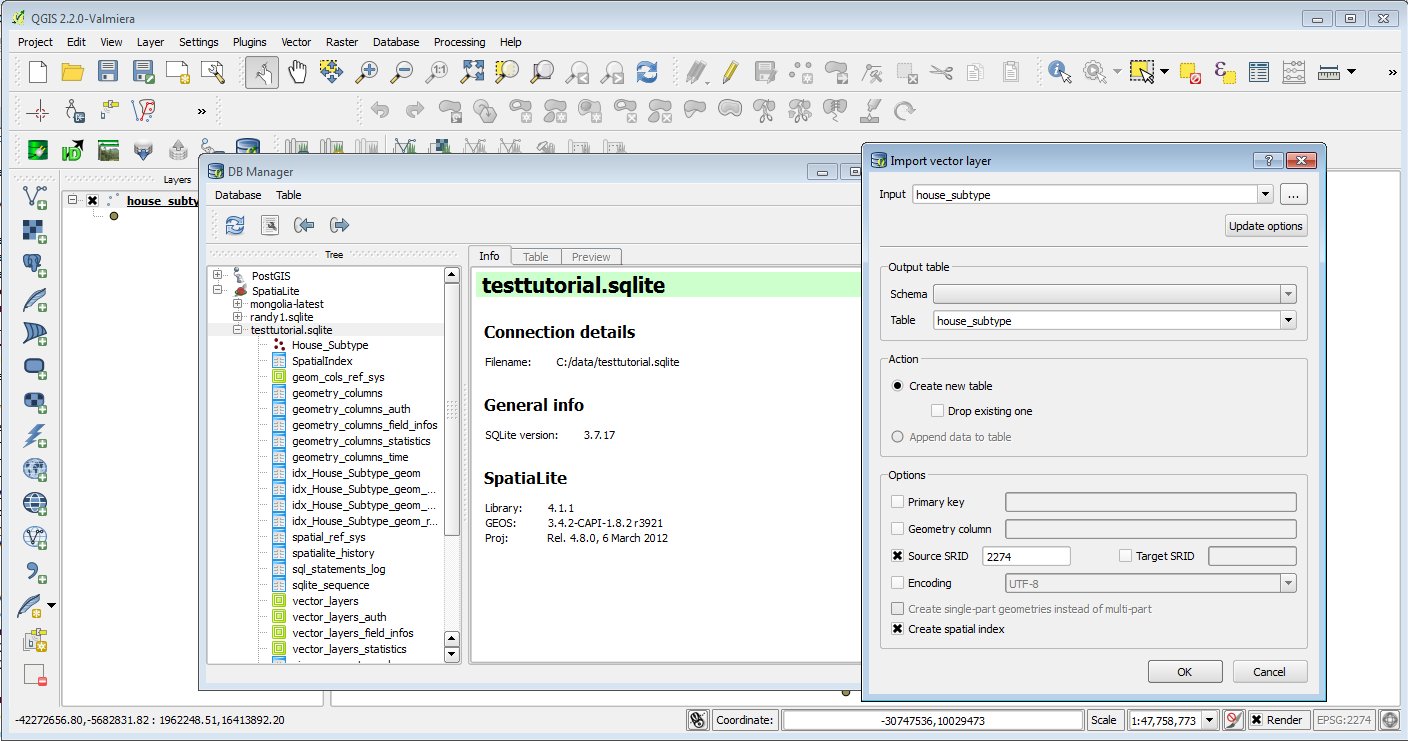
Why is that remotely brilliant? When I die I’m going to have the words descriptio put on my tombstone. For those who have dealt with moving data from a database into a shapefile that’s always how I describe the truncation that occurs. It is a pain if you are working with data and you move something into a shapefile and all the fields become truncated. Well with the database manager that comes with QGIS you can move it straight from the file based geodatabase into spatialite (or PostGIS). Yes this is awesome – BUT – you can’t go back to a file based geodatabase….BUT you can hand of the spatialite database to your ESRI users.
So a diversion out of my day. I learned something. Hopefully you did too….QGIS – it’s awesome. It’s OpenSource. (shameless plug WE TEACH CLASSES ABOUT IT!!)




